Get Mass
Overview
Get Mass is a command for calculating the total mass of selected components in an Inventor assembly. This tool is useful for quickly determining the combined weight of multiple parts or subassemblies, helping with design validation, material estimates, and documentation.
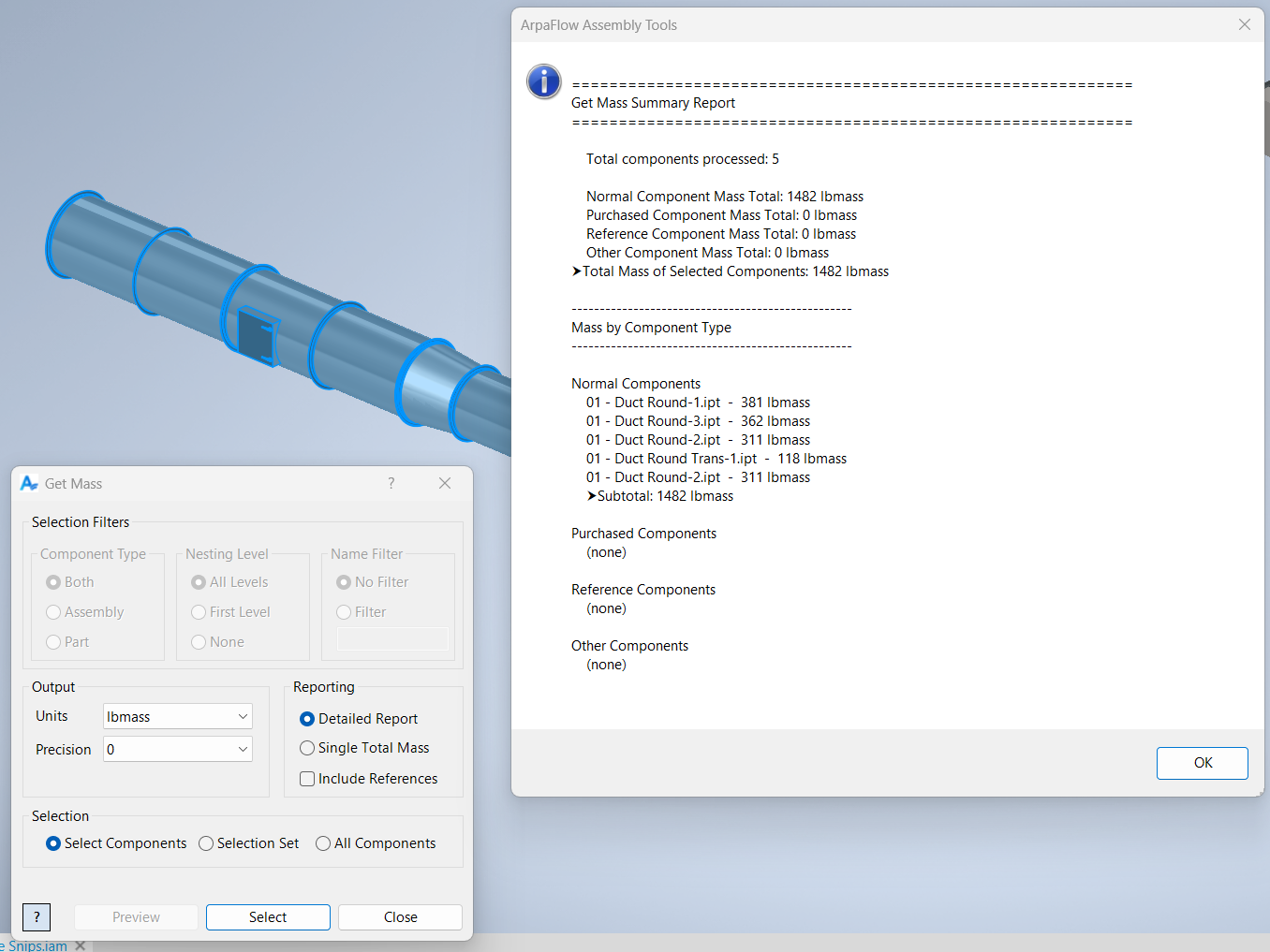
When you run the command, you are prompted to select each component you wish to include in the mass calculation. After selection, right-click and choose continue. A dialog box will display the total mass of the selected components in the units defined by the current document.
This command is ideal for users who need to sum the mass of specific components, compare weights between design alternatives, or prepare data for reports and manufacturing processes.
Samples
Sample files are located in C:\ProgramData\Autodesk\ApplicationPlugins\ArpaFlow.AssemblyTools.Core.Bundle\Samples. See Samples Summary
In the sample below, the Get Mass command was executed, and each of the blue-highlighted fittings was selected. After selection, the dialog box displays the combined mass of all chosen components. The selection process adheres to Inventor’s standard selection priority settings, enabling users to include nested components in the total mass calculation. This makes it easy to assess the weight contribution of specific parts or subassemblies within a larger design.